

Your business may be growing, but are your tools keeping up? Learn how scattered chats, spreadsheets, notes, and disconnected apps quietly slow down operations—and what to do next.
At the beginning, most businesses run on simple tools.
Customer enquiries come through WhatsApp. Orders are recorded in spreadsheets. Team tasks are written in notebooks or shared through chat groups. Invoices may be stored in one folder, while customer information sits somewhere else.
And honestly, that setup can work for a while.
When the team is small and the number of daily transactions is still manageable, using WhatsApp, spreadsheets, and manual notes may feel fast, practical, and affordable.
But as the business grows, the same tools that once helped you move quickly can slowly become a source of confusion.
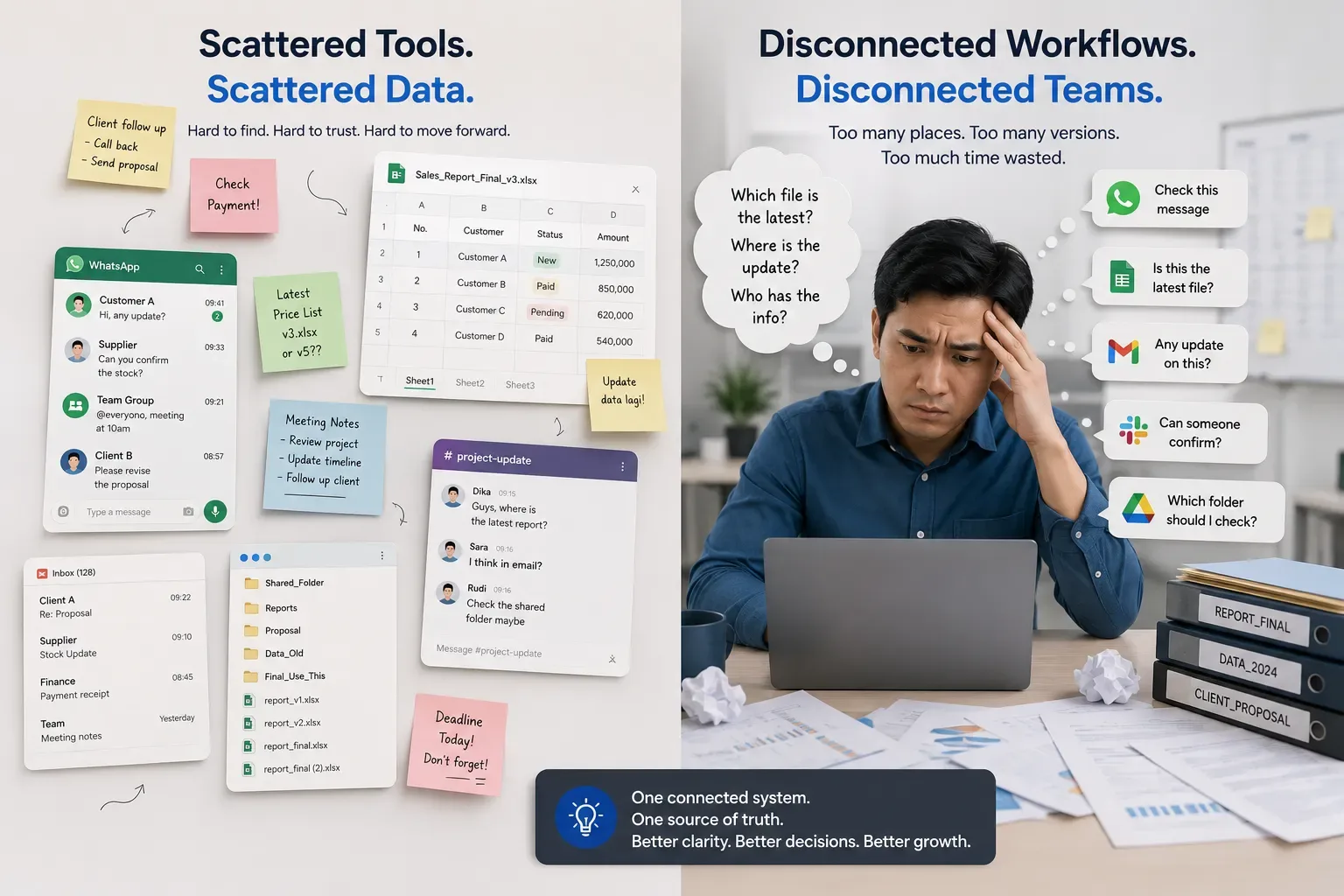
Messages get buried. Files have multiple versions. Customer details are incomplete. Follow-ups are missed. Teams spend more time looking for information than actually doing the work.
The issue is not that WhatsApp or spreadsheets are bad tools. The issue is when a growing business depends on disconnected tools to manage connected processes.
The “It Works for Now” Stage
Many businesses do not notice operational problems immediately.
The process often starts like this:
Customer enquiries arrive through WhatsApp.
Sales data is entered into a spreadsheet.
Team members write reminders on paper or sticky notes.
Project updates are shared in different chat groups.
Invoices are created manually.
Customer records are stored in folders or separate files.
Important approvals happen in personal chats.
Everything may look manageable at first.
However, when more customers, more employees, more products, or more daily transactions are involved, the process becomes harder to control.
A simple question like, “Has this customer already been contacted?” can suddenly require checking multiple chats, files, and spreadsheets.
That is usually the moment when a business starts feeling busy—but not necessarily productive.
Where the Real Problems Begin
The biggest challenge with scattered tools is not just clutter.
It is the lack of one reliable place for information.
When data lives across WhatsApp chats, spreadsheets, personal notes, email threads, and multiple applications, teams start working with different versions of the truth.
One person may have the latest customer update in a chat message. Another may be using an old spreadsheet. Someone else may have written the information in a notebook that nobody can access.
This creates friction across the entire workflow.
1. Important Messages Get Lost
WhatsApp is fast and familiar, which makes it useful for quick communication.
However, it is not designed to become the main operational database for a business.
When customer conversations, payment updates, product requests, delivery notes, approvals, and internal tasks all happen in chat, finding the right information becomes difficult.
A message from last week may be buried under hundreds of newer messages. A customer follow-up may be forgotten because nobody assigned ownership. A payment confirmation may be sent, but never recorded in the main spreadsheet.
The business does not lose information because people are careless. It loses information because the process depends too much on memory and manual searching.

2. Spreadsheets Become Harder to Control
Spreadsheets are powerful tools. They are flexible, familiar, and useful for reporting, budgeting, and basic tracking.
The problem begins when spreadsheets become the main system for everything.
For example:
Customer data
Sales tracking
Inventory records
Project status
Payment monitoring
Team tasks
Delivery schedules
Service requests
As more people update the same file, version control becomes a risk.
You may see file names like:
Sales_Report_Final.xlsxSales_Report_Final_Updated.xlsxSales_Report_Final_Updated_2.xlsxSales_Report_Use_This_One.xlsx
At that point, the question is no longer whether the spreadsheet works.
The question is: which version contains the correct information?
Manual spreadsheets also create a higher risk of human error. A formula can be deleted. A row can be overwritten. A customer can be duplicated. A payment status can be forgotten.
These issues may seem small individually, but they become expensive when they happen repeatedly.
3. Team Knowledge Stays Inside Individual People
Another common issue is when important business knowledge stays inside one person’s phone, laptop, or memory.
Maybe one admin knows which customer has already paid. One salesperson knows the latest quotation status. One operations team member understands the delivery schedule. One manager remembers which project needs urgent attention.
This creates dependency on individuals instead of systems.
When that person is on leave, unavailable, or leaves the company, the team may struggle to continue the process smoothly.
A scalable business needs operational knowledge to be accessible by the right people, at the right time, through a clear system.
4. There Is No Clear Ownership
When work is managed through chats and informal notes, responsibilities can become unclear.
A customer may ask for an update, but nobody knows who should respond. A payment reminder may need to be sent, but no one has been assigned to follow up. A new lead may enter the business, but it is not clear who owns the next action.
This often leads to the most frustrating sentence in any team:
“I thought someone else was handling it.”
A structured workflow does not just store information. It makes responsibility visible.
It shows what needs to be done, who is responsible, what stage the task is in, and what happens next.
The Cost Is Not Always Obvious
The cost of disconnected tools is not always visible as a single large expense.
Instead, it appears in small daily losses:
Ten minutes spent searching for an old message
A customer follow-up that is sent too late
A duplicate task completed by two people
A missed invoice reminder
An incorrect spreadsheet update
A report that takes days to prepare manually
A manager who has to ask for updates one by one
A customer who receives inconsistent information
These small inefficiencies add up.
Over time, they affect customer experience, team morale, decision-making speed, and the ability to scale the business.
When the business grows, manual coordination usually grows faster than the revenue.
That is the real risk.
Signs Your Business Has Outgrown Its Current Tools
You may not need a full system immediately. But there are clear signs that your current way of working is starting to create friction.
Your business may be ready for a more connected workflow if:
Your team frequently asks, “Where is the latest data?”
Customer information is spread across multiple chat groups and files.
The same information is entered more than once.
You often need to manually combine reports from different sources.
Team members use personal notes to track important tasks.
Follow-ups, invoices, or project updates are occasionally missed.
Management cannot see real-time operational status.
You rely heavily on one or two people to understand the full process.
Customers receive different answers from different team members.
Your team spends too much time coordinating instead of executing.
These are not just signs of being busy.
They are signs that the business needs a better operational foundation.
Moving from Scattered Tools to a Connected Workflow
The solution is not always replacing every tool at once.
A better approach is to start by understanding the workflow.
Ask questions such as:
Where do customer enquiries enter the business?
Who handles the first response?
Where is customer information stored?
How are tasks assigned and monitored?
How are payments, orders, or projects tracked?
Which tasks are repeated manually every day?
Where do errors or delays usually happen?
What information does management need to see quickly?
Once the process is clear, it becomes easier to decide what should be centralised.
For some businesses, the next step may be a CRM system. For others, it may be a customer portal, booking system, inventory platform, service dashboard, or a custom web application.
The goal is not to build technology for the sake of technology.
The goal is to reduce unnecessary manual work and make operations easier to manage.
What a Connected Business System Should Do
A connected system does not need to be complicated.
At its core, it should help your business:
Keep customer information in one place
Track enquiries, sales, orders, or projects clearly
Assign responsibilities to the right team members
Reduce duplicate data entry
Show real-time status and progress
Create clearer reporting
Improve follow-up consistency
Reduce dependency on personal chats and memory
Give management better visibility over operations
The best systems feel simple to use because they are built around the way the business actually works.
They should support your workflow—not force your team to work around the system.
Start Small, Then Build with Purpose
Digital transformation does not mean building a massive platform on day one.
In many cases, the best approach is to start with the most urgent operational problem.
For example:
Centralise customer enquiries and follow-ups first.
Then improve task assignment and status tracking.
Add reporting once the workflow is more structured.
Connect payment, inventory, delivery, or service data when needed.
Expand the platform as the business grows.
This approach reduces risk and helps the team adapt gradually.
The key is to build a foundation that can grow with the business.
Final Thoughts
WhatsApp, spreadsheets, notes, and separate tools can help a business get started.
But when those tools become the main way of managing customers, tasks, sales, payments, and operations, they can quietly create confusion, delays, and unnecessary manual work.
The real issue is not the number of tools your business uses.
It is whether those tools work together.
A connected workflow gives teams a clearer view of what is happening, helps customers receive more consistent service, and gives business owners better control over daily operations.
Before your business adds more tools, take a step back and ask:
Is the problem really a lack of tools—or is it a lack of connection between them?
Closepage.id helps businesses design practical digital systems that bring workflows, customer data, team collaboration, and daily operations into one more connected foundation.